
Download Halloween Themes – Free Spooky Windows Theme Packs
Overview
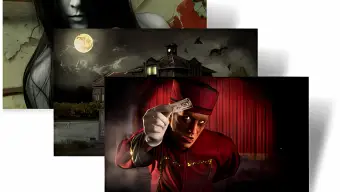
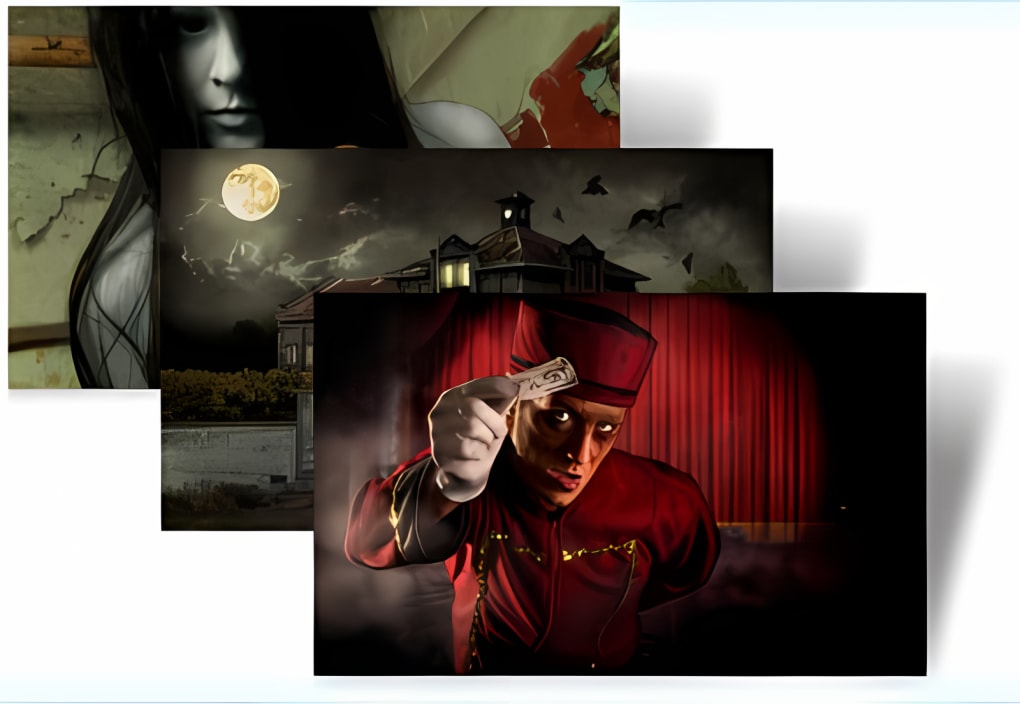
Get ready to turn your desktop into a haunted mansion with the Halloween Themes pack, a collection of free, high‑resolution wallpapers, screensavers, and icon sets designed specifically for Windows 10, Windows 8 and Windows 7. Whether you prefer the classic orange glow of a Jack‑O‑Lantern, the eerie elegance of cobweb‑laden corridors, or the cinematic dread of the “Ticket To Fear” bundle, these themes deliver a polished, festive look without compromising performance. All assets are optimized for modern displays, supporting 1080p and higher resolutions, and they come bundled in a single, easy‑to‑install package. Because the themes are completely free, you can enjoy a seasonal makeover without spending a dime—perfect for students, home users, or anyone looking to add a little fright to their workspace. The pack also includes a set of matching mouse cursors, giving you a fully immersive experience from the moment you move your pointer. In addition, the developer provides regular updates to keep the visuals fresh and to ensure compatibility with the latest Windows updates, making it a reliable choice for both casual users and power users who demand stability.
Key Features
- Three distinct theme collections: Jack‑O‑Lantern & Trick‑or‑Treat, Creepy Cobwebs, and Ticket To Fear.
- Over 50 high‑definition wallpapers ranging from 1920×1080 to 3840×2160.
- Animated screensavers that run smoothly on both integrated and dedicated graphics cards.
- Custom icon sets that replace default system icons with themed alternatives.
- Matching mouse cursor packs for a cohesive spooky look.
- One‑click installer that automatically applies the theme, sets the lock screen, and configures the screensaver.
- Full compatibility with Windows 10, Windows 8, and Windows 7, including support for classic and modern UI modes.
- Regular, free updates that add new seasonal artwork and fix minor bugs.
- Zero cost – completely free download with no hidden fees or adware.
- Secure download from a verified source, verified with SHA‑256 checksum.
Installation & Usage Instructions
Step‑by‑Step Setup
Installing the Halloween Themes pack is intentionally straightforward to accommodate users of all skill levels. First, download the master ZIP file from the official website. For security, verify the SHA‑256 checksum displayed on the download page; this ensures the file has not been tampered with. Once verified, extract the contents to a temporary folder. Inside, you’ll find a Setup.exe installer and a ReadMe.txt with additional details.
Double‑click Setup.exe. The installer will request administrator privileges—grant them to allow changes to system theme settings. You’ll be presented with a simple wizard: select the theme collection you wish to apply (you can choose multiple packs, and the installer will merge them), then click Install. The program copies wallpapers to the C:\Windows\Web\Wallpaper directory, registers the screensaver files, and updates the registry keys responsible for icon and cursor paths.
After installation, the theme becomes active immediately. To customize further, right‑click the desktop, select Personalize, and you’ll see the new theme listed under Themes. From there you can switch between the three collections, adjust the lock‑screen image, or fine‑tune the screensaver timeout. If you ever want to revert to the default Windows look, simply select the original Windows theme in the same menu.
For power users, the installer also creates a batch file called HalloweenThemeSwitcher.bat that lets you toggle between theme packs from the command line—useful for automating seasonal changes or integrating with third‑party desktop management tools.
Compatibility, Pros & Cons
The Halloween Themes pack has been rigorously tested on Windows 10 (both Home and Pro editions), Windows 8.1, and Windows 7 SP1. It works seamlessly with both 32‑bit and 64‑bit architectures. Users running the newer Windows 10 21H2 or later can enjoy the same visual fidelity, as the themes rely on standard system APIs that have remained stable across updates. The only limitation is that the themes are not designed for Windows XP or earlier operating systems, due to the lack of modern theme support.
Pros
- Completely free with no hidden charges or adware.
- High‑resolution assets that look great on 4K monitors.
- Easy installation via a one‑click installer.
- Multiple theme packs give users a variety of spooky aesthetics.
- Secure download verified by checksum.
- Regular updates keep the content fresh each season.
Cons
- Only compatible with Windows; no native macOS, Android, or iOS versions.
- Limited customization beyond the provided packs (advanced users may need to edit registry manually).
- Some older graphics drivers may experience minor lag with animated screensavers.
Frequently Asked Questions
Is the Halloween Themes pack really free?
Yes, the entire collection—including wallpapers, screensavers, icons, and cursor packs—is offered at no cost. There are no hidden fees, subscriptions, or bundled adware.
Will installing the themes affect my system performance?
The themes are optimized for modern Windows systems and use standard APIs. On most computers, the impact is negligible. However, very old graphics drivers may experience slight lag with the animated screensavers.
Can I use these themes on Windows 11?
Although the package is marketed for Windows 10/8/7, it works on Windows 11 because the underlying theme engine is unchanged. Users have reported successful installation without issues.
Do I need an internet connection after downloading?
No. Once you have downloaded and extracted the ZIP file, the installer works entirely offline. An internet connection is only required to verify the checksum before installation.
How often are new Halloween themes released?
The developer typically releases a fresh set each October, with occasional mid‑season updates that add new wallpapers or fix minor bugs.
Conclusion & Call to Action
If you’re looking for a hassle‑free way to celebrate the spooky season on your Windows desktop, the Halloween Themes pack is an excellent choice. It blends high‑quality visuals with a straightforward installer, all while remaining completely free and secure. Whether you’re a casual user who just wants a festive background or a power user who enjoys tweaking every pixel, the three distinct packs give you enough variety to keep your workspace fresh throughout October. Download the pack today, follow the simple installation steps, and let your computer join the Halloween festivities—without spending a single cent.
Download Halloween Themes now and transform your PC into a haunted haven!







